
Apple Music on Android Automotive — No Phone Mirroring Needed
Bring Apple Music to the road with a beautiful, intuitive interface built specifically for Android Automotive systems. Requires an active internet connection.

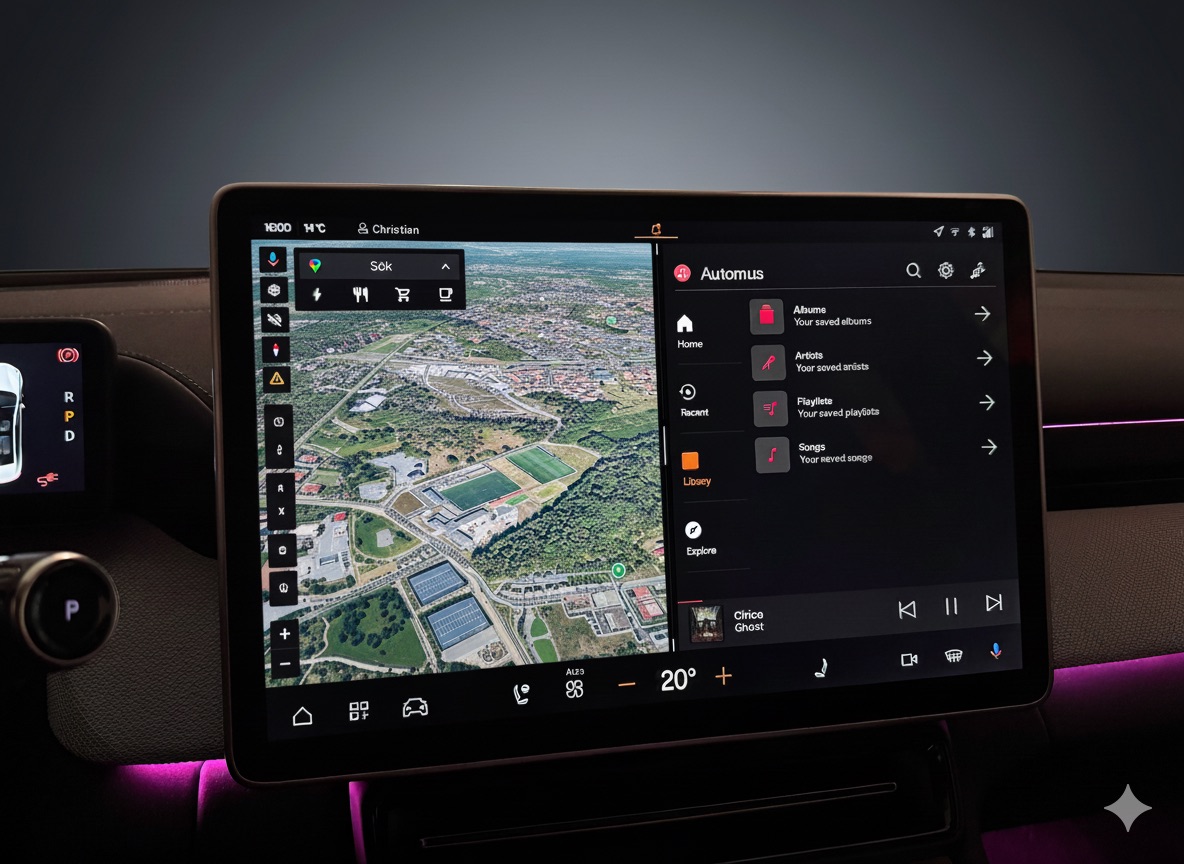
Designed for Android Automotive — Safe for Driving
Enjoy a familiar, safe, and integrated Apple Music experience on Android Automotive without touching your phone.
Easy Login with QR Code
Scan a QR code with your phone to securely log in. No tiny keyboards, no hassle.
Broad Library Access
Browse your playlists, albums, artists, and streamable songs right from the dashboard.
Familiar Interface
A UI you know and love, redesigned for safe and easy use while driving.
Voice Search
Use Google Assistant to find and play music hands-free while you drive.
See It in Action
Screenshots showcasing the music player interface within the Android Automotive system.
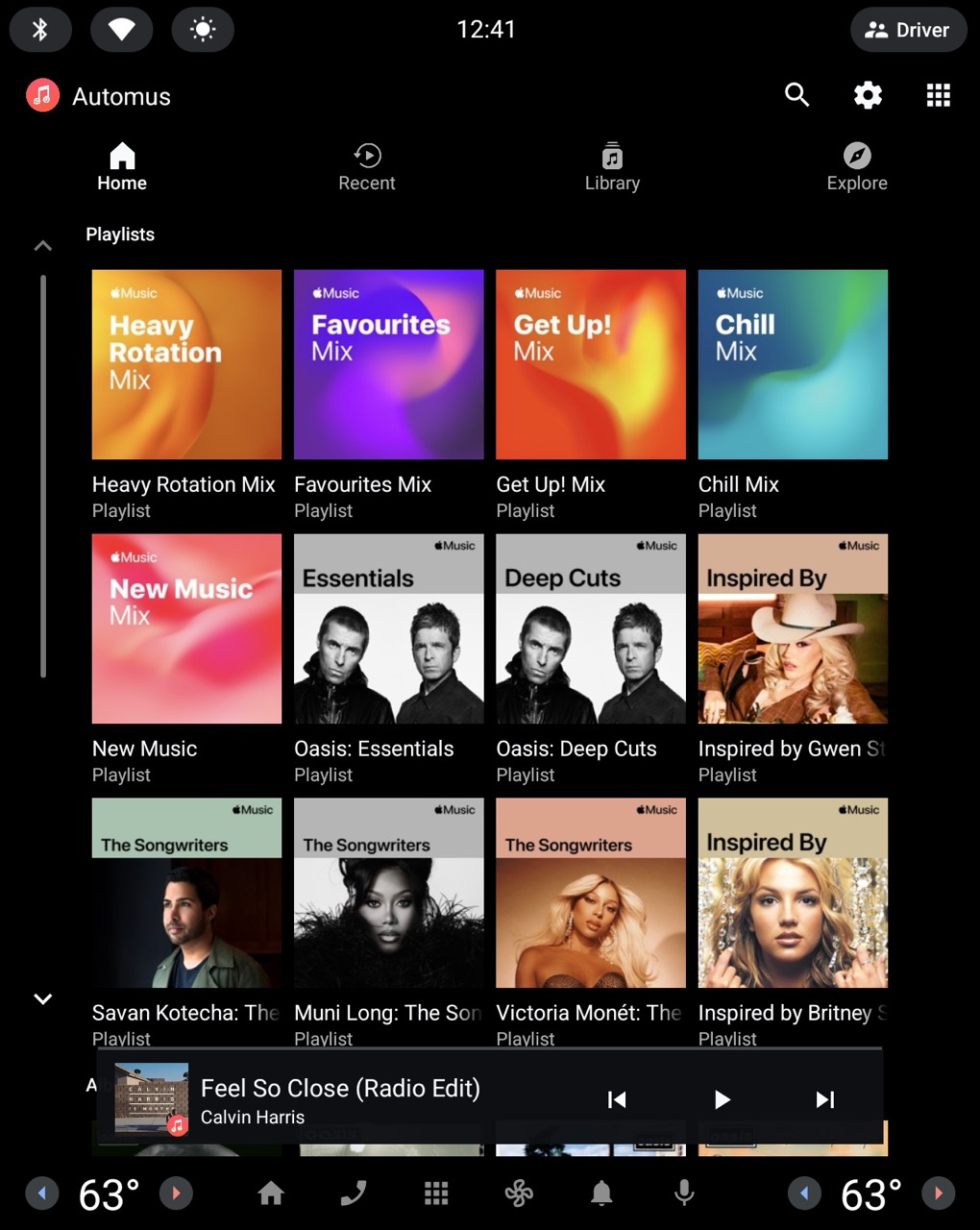
Home
Quick access to your recently played music and favorites.
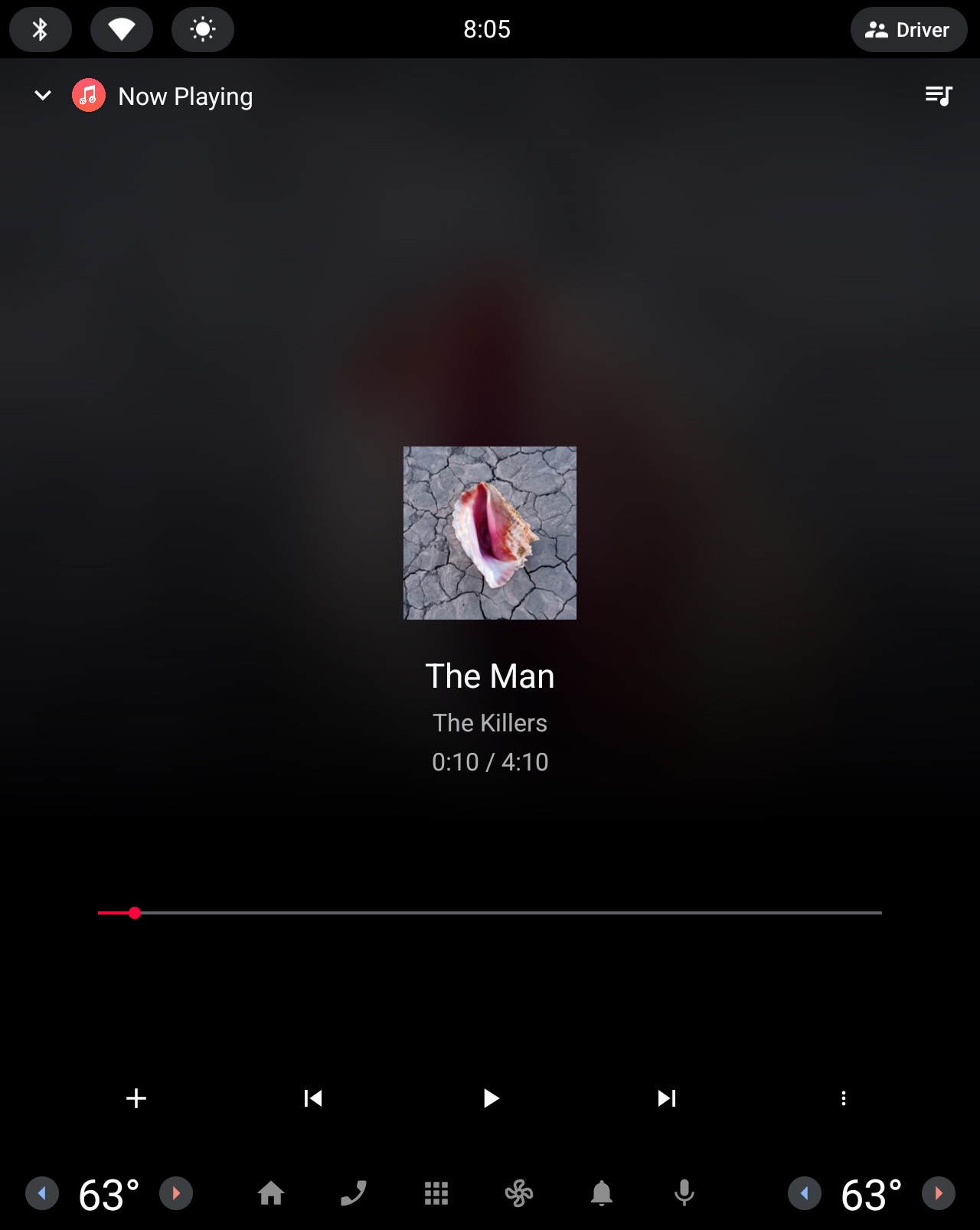
Now Playing
Optimized for driving with large, easy-to-tap controls.
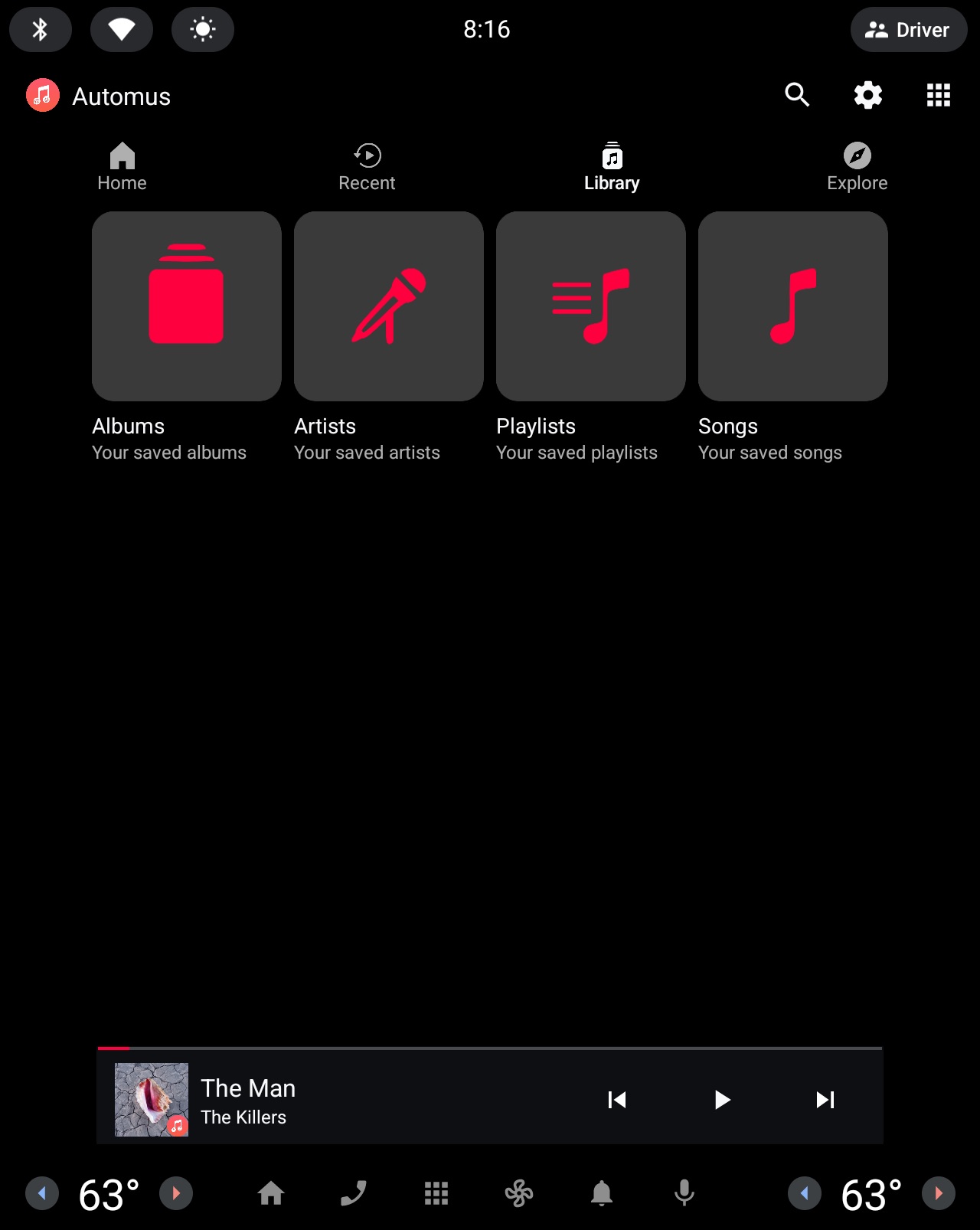
Your Library
Access your playlists, albums, artists, and streamable library content in one place.
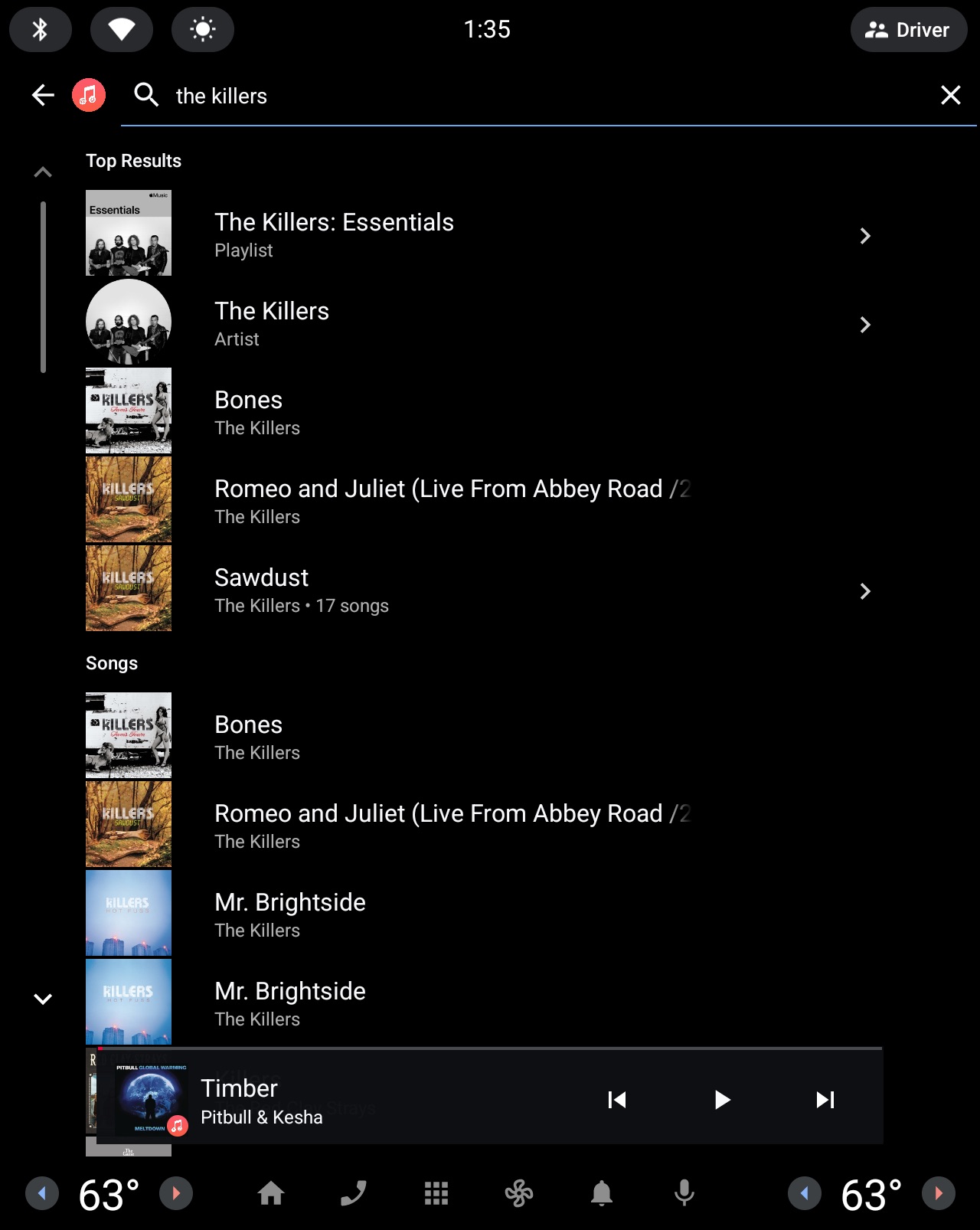
Search
Find any song, album, or artist from the Apple Music catalog.
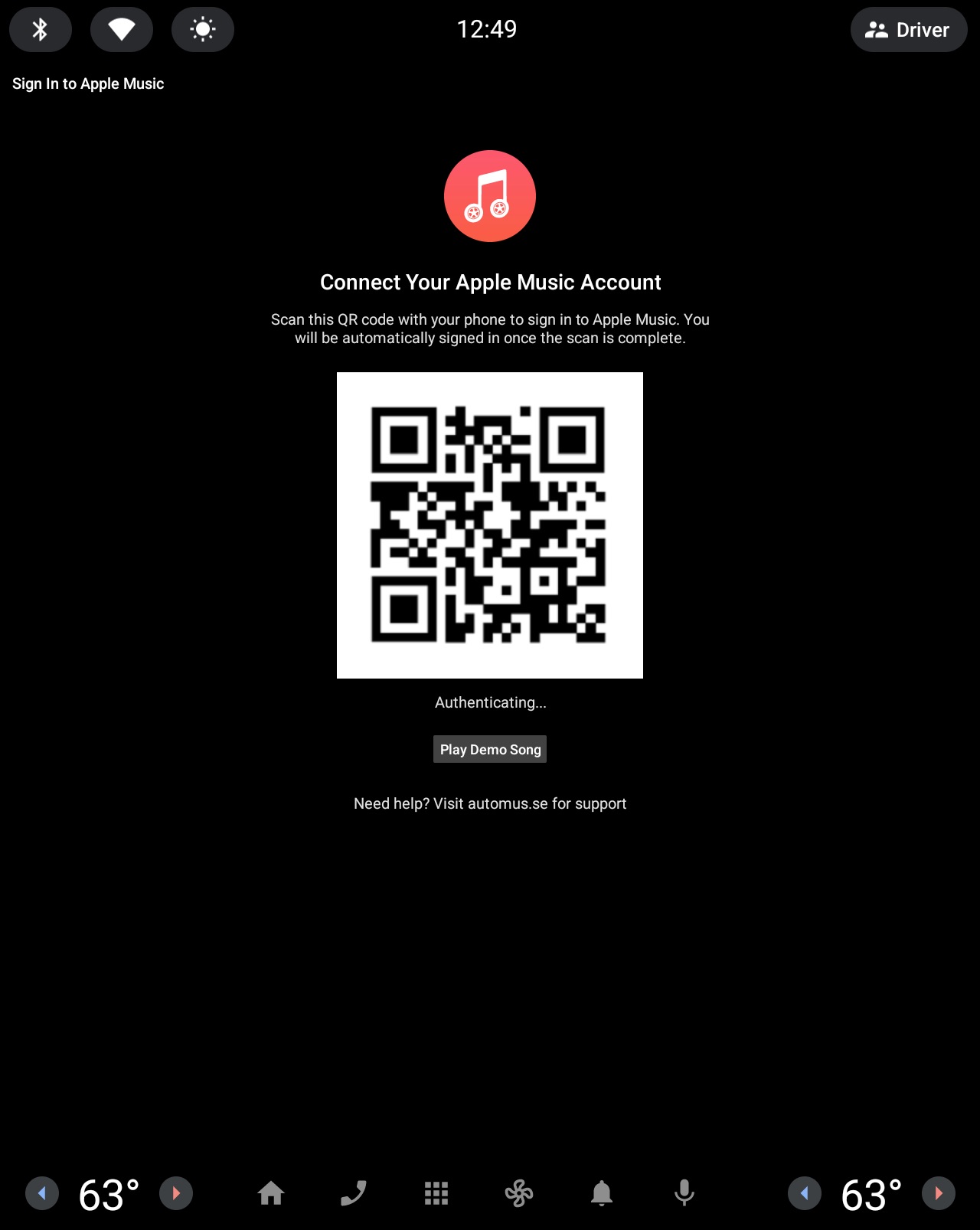
Easy QR Login
Scan a QR code with your phone for quick and secure authentication.
Compatibility & FAQ
Answers to the support questions we see most often.
Why can't I find Automus in the Google Play Store?
Some cars are not supported. When that happens, Google Play may hide Automus or show device not compatible. This is most common on some older Android Automotive cars.
Which cars are compatible?
Automus works on cars with Android Automotive OS (Google built-in) running Android 10 or newer, with an ARM-based infotainment system and an internet connection.
Apple's playback technology only supports ARM processors, so some older cars with Intel-based systems can't run Automus. The easiest check: search for Automus in Google Play in your car. If it appears and installs, your car is compatible.
Will older Volvos or other unsupported cars ever be supported?
The main unsupported group today is some older Intel-based Android Automotive cars. Unless Apple changes its Apple Music support, this is not something Automus can fix on its own.
Does Automus support Dolby Atmos, Spatial Audio, or lossless?
No. Playback is currently standard stereo.
Can I play songs I uploaded myself with iTunes Match or older Apple uploads?
Usually no. Automus is built around Apple Music's streaming catalog, so personally uploaded tracks and some older library items may not appear or play.
Can I use Google Assistant voice commands?
Yes. If Google Assistant starts another music app instead, say your request with on Automus at the end.
Why can't I sign in with a child Apple ID or Family Sharing account?
Some child Apple IDs do not work with this kind of sign-in. If that happens, try the family organizer's Apple ID instead.
The sign-in page gets stuck after I press Allow. What should I do?
Finish the approval flow on your phone, then wait a few seconds for the car to sync. If it still hangs, reopen the link and try Chrome on your phone instead of Safari.
Explicit songs play on my phone but not in the car. Is there a filter in Automus?
No. Automus does not filter songs. This is caused by content restrictions on your Apple Music account. Go to music.apple.com, sign in, open your profile and select Settings, then allow explicit content under Parental Controls / Content Restrictions. Afterwards, sign out of Apple Music in Automus and sign back in.
The app won't connect or can't reach Apple Music. What should I check?
First, check that your car has a working internet connection. If possible, try switching between cellular and Wi-Fi.
From the maker of Automus
Also from the maker of Automus: Meridian
Meridian is a unified calendar app for Android Automotive that brings Google Calendar, Outlook, and ICS feeds into one clean, driving-friendly view.
Bring Your Music on the Road
Ready to transform your driving experience? Download the app from the Google Play Store today and never leave your favorite tunes behind.